
ProCam X ( HD Camera Pro )
Imagi MobilePhotography
4.2696.00 Reviews
- Version
- 1.26
- Installs
- 1.00M
- Age Rating
- Everyone
Screenshots
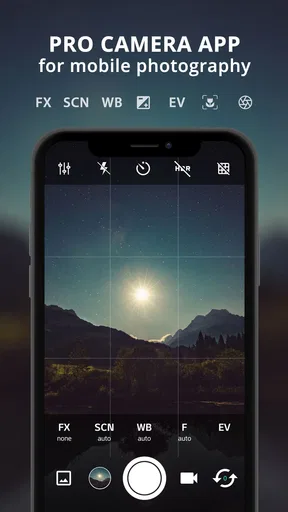
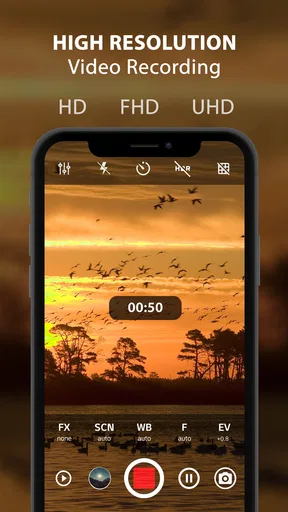
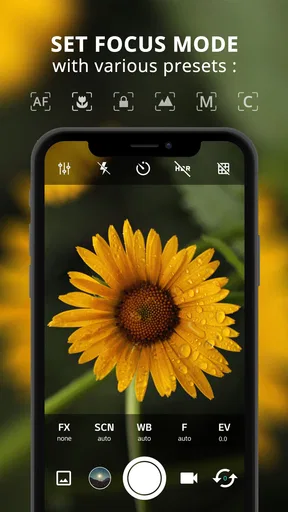
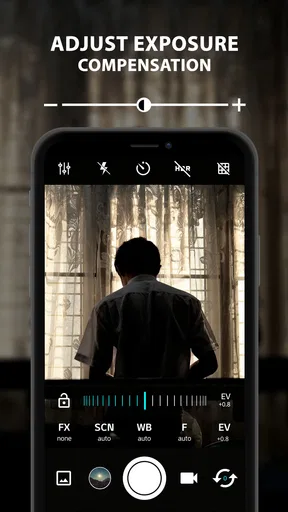
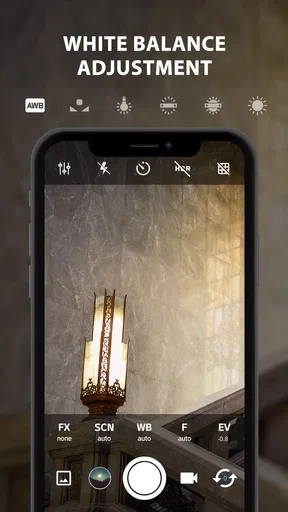
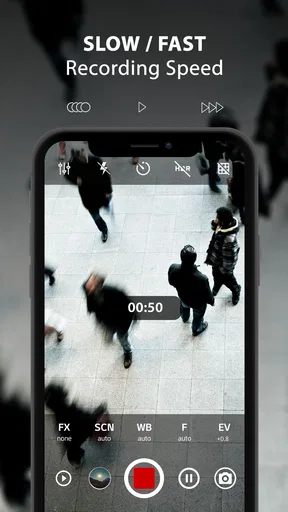
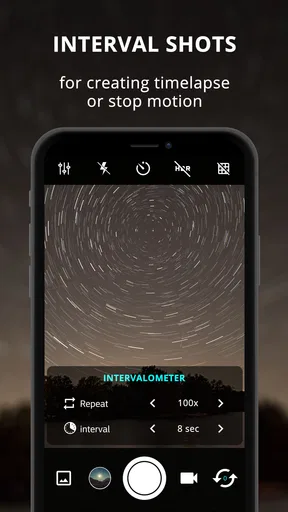
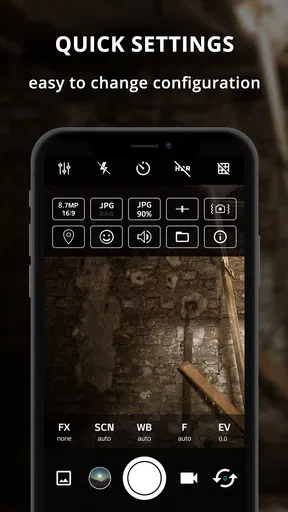
Our Review of ProCam X ( HD Camera Pro )
 Analysis by Appyee
I judge a phone camera app less by how many controls it puts on screen than by whether those controls help me get the picture I want. ProCam X (HD Camera Pro) is aimed at people who want more say in how a photo is made, rather than relying on the phone’s default camera to make every decision. I’d consider it when I’m trying to learn manual photography, or when the built-in camera feels too automatic for a particular shot.
What to decide before switching
Start with your phone and your habits. If you mostly take quick snapshots and are happy with the default results, a dedicated manual camera app may add steps without improving your everyday photos. If you often want to control focus, exposure, or white balance yourself, ProCam X offers a reason to try a different workflow. The useful question is not whether more controls are always better, but whether you’ll reach for them often enough to make the app worthwhile.
It is a paid photography app from Imagi Mobile, priced at $4.99, with an Everyone age rating. It has a 4.2 average from around 24,000 ratings, and over 1 million installs. Those figures suggest it has found an audience, but they can’t tell you whether its approach suits your phone or your eye. It was released on September 19, 2018, and version 1.26 requires Android 5.0 or later.
There is also a practical distinction between control and image quality. A manual setting can help you choose how a supported camera behaves, but it cannot make a phone’s lens or sensor capture more detail than its hardware allows. I’d treat the app as a way to make deliberate choices with the camera you already own, not as a shortcut to the look of a dedicated camera.
Taking more control of mobile photography
Let’s dive in with the basics. Once you download ProCam X, you’re greeted with a sleek, intuitive interface. The app doesn’t waste time getting you lost in menus. Instead, it puts all the essential controls right at your fingertips. From the get-go, you can tell this app means business. Everything from the layout to the design screams professional. And trust me, it’s not just about looks. The functionality is where it truly shines.
Features that matter when you’re framing a shot
Alright, let’s talk features. This app is packed with tools that are usually reserved for high-end DSLRs. We’re talking about manual focus, exposure control, and even white balance adjustments. Fancy, huh? Whether you’re snapping a quick pic or setting up a detailed shot, you have the kind of control that makes each photo just right.
One of my favorite features is the burst mode. Perfect for capturing action shots or those candid moments when you need a series of photos to pick from. And let’s not forget the 4K video recording capability. Yes, you read that right—4K! It’s like having a film studio in your pocket.
These controls are most useful when the scene gives you time to think. For a still subject, manual focus can help you decide exactly where attention should land; for a bright window behind a person, exposure control gives you a way to respond instead of simply accepting the camera’s automatic choice. White balance is worth adjusting when indoor lighting makes a scene look unlike how it felt in person. I’d avoid changing several settings at once at first: adjust one, take a test frame, and compare it with the automatic result. That makes it much easier to learn what each change actually did.
Burst mode has a different kind of value: it trades a little patience after the moment for more choice during it. I’d use it for a child blowing out candles, a pet turning its head, or a quick gesture that is hard to repeat. It is less useful for a quiet landscape or a posed portrait, where a carefully timed single frame may be easier to review and keep. A practical habit is to decide before shooting whether you need a sequence; otherwise, sorting through near-identical frames can become its own chore.
Settings, file choices, and a useful workflow
Now, let’s geek out a bit on the settings. For those who love to tweak and tinker, this app is a playground. You can adjust ISO, shutter speed, and even apply filters in real-time. It’s like being a kid in a candy store. And for those who prefer simplicity, the auto mode is smart enough to handle most situations with ease.
The app also supports RAW and JPEG formats, giving you the flexibility to choose how you want to save and edit your images. This is particularly great for post-production work.
RAW is the more flexible choice when I expect to edit a photo later, while JPEG is the straightforward option when I want a ready-to-share result without building an editing step into the day. That flexibility has a trade-off: RAW files are intended for a more considered workflow, not merely for taking every casual picture. If you are trying the format for the first time, shoot the same still subject in RAW and JPEG, then compare how much extra editing latitude you actually use. If you rarely open an editor, JPEG may be the more comfortable default.
ISO and shutter speed are also best understood as a pair of choices rather than isolated sliders. In a dim room, changing one can affect how bright the photo looks, while movement in the scene may make a slower exposure a poor fit. I’d use a stationary subject to experiment before relying on manual settings for a fleeting moment. For example, a cup on a table gives you time to see how a setting changes the result; a moving dog does not. That small practice session can prevent a missed photo when the moment matters.
Filters can make a preview feel finished, but I would not let them distract from getting the exposure and focus right. A filter is a look; it cannot rescue a missed focus point. When the aim is a natural family photo or a record of a place, I’d first make a clean capture and decide about styling later. For a quick social post, a live filter may be convenient. Which approach is better depends on whether speed or later editing matters more to you.
Everyday use and performance trade-offs
Let’s talk about the user experience. The app runs buttery smooth, and I haven’t experienced any lag or crashes. It’s optimized well, so whether you’re using an older device or the latest model, you should have a seamless experience. The battery consumption is reasonable too, which is a big plus when you’re out on a long photoshoot.
And can we just take a moment to appreciate the customization options? You can change the interface colors, which is a nice touch, especially if you like your apps to match your aesthetic.
For an ordinary day, I can see the appeal when photographing a meal near a window: I can take a moment to focus deliberately, adjust exposure if the bright background is pulling attention away, and save a JPEG if I want to send the picture straight to someone. On a walk, auto mode is likely the sensible choice for anything spontaneous, while manual controls are better when I have time to compose. That split matters. A feature-rich camera app is not necessarily the right tool for every moment, and there is no need to turn a quick snapshot into a technical exercise.
Customization can make an interface feel more comfortable, but it does not remove the learning curve that comes with extra controls. Someone moving from a simple default camera may need a little time to understand which options are worth changing and which are best left alone. I’d start with one repeatable scene, such as a still object in consistent light, and learn the controls there before using them at an event or on a trip. That gives the app a fair test without making an important photo depend on settings you are still learning.
On a long outing, battery use is worth considering even if it seems reasonable in ordinary use. Recording video, reviewing many burst frames, or keeping the camera open for extended periods can make a phone’s camera session more demanding than taking a few stills. I’d carry the same practical expectations I would for any camera app: keep an eye on the phone’s charge, especially if the camera will be open for a long time. If you only need an occasional picture, this is unlikely to shape your decision; for a full day of shooting, it belongs in your planning.
When another camera app may suit you better
The usual alternative is the camera app already on your phone. It is often the easier choice when you want to open the camera and capture something immediately, especially if you rarely adjust settings. A phone maker’s camera may also be the natural place to begin if you prefer its existing modes and familiar controls. ProCam X makes more sense to me when manual choices and RAW/JPEG flexibility are the reason for switching, rather than simply wanting another icon on the home screen.
Other manual-camera apps are a reasonable comparison if your priority is a particular interface or a specific way of working. I would compare them by testing the controls you actually use—focus, exposure, white balance, and file choice—on the same subject, rather than choosing by a long feature list. Different phones can also affect which controls are available or how useful they feel. The best option is the one that works naturally with your device and does not slow you down when you are trying to capture a moment.
If your main goal is extensive image editing, a dedicated editor may be a better next step than changing your camera app. ProCam X is about making capture decisions; editing tools are where you refine a photo afterward. Similarly, if video is your primary interest, compare the recording experience you need before committing to a photography-first workflow. Its 4K recording support may be appealing, but I would still base the choice on how you shoot and what your phone can comfortably handle.
Switching does not have to mean abandoning the default camera. I’d keep both available: the familiar app for quick family moments and ProCam X for scenes where I want more control. After a few outings, notice which one you actually open and whether you use the manual options. If the extra choices stay untouched, the simpler app may be the better fit. If you find yourself correcting focus or exposure with intention, the change has a practical purpose.
My recommendation
So, is ProCam X (HD Camera Pro) worth it? Absolutely. This app is a powerhouse for anyone serious about mobile photography. Whether you’re a professional looking to supplement your gear or a hobbyist who wants to explore advanced photography techniques, this app has you covered.
It’s not often you find an app that combines advanced features with ease of use. ProCam X does just that, making it a standout choice for photographers of all levels. If you’ve been on the fence about upgrading your camera app, give this one a shot. Trust me, you won’t be disappointed.
My recommendation is strongest for curious hobbyists who want to learn what focus, exposure, ISO, and shutter speed can do without carrying a separate camera. It can also suit someone who regularly photographs still subjects, wants RAW files for editing, or values burst shooting for brief action. The combination gives you room to experiment while keeping auto mode available when a scene is moving too quickly for careful adjustments.
I would skip it if you are completely satisfied with your phone’s default camera, do not plan to edit RAW images, or want every photo taken with the fewest possible taps. I would also avoid assuming that manual controls automatically produce better pictures: they reward attention, but they can slow down a spontaneous shot. At $4.99, I’d make the purchase only if those controls solve a real frustration in your current camera routine. For me, its strongest case is not that every picture needs professional treatment; it is that the right amount of control can make a deliberate shot feel more like your own.
Verdict
Strengths of ProCam X ( HD Camera Pro )
- High-quality photo and video capture.
- Manual controls for ISO, focus, and shutter.
- Supports RAW format for better editing.
- Customizable grid and overlay options.
- Intuitive user interface.
Limitations of ProCam X ( HD Camera Pro )
- Limited features in free version.
- Occasional stability issues reported.
- May drain battery quickly.
- Requires learning for beginners.
- Some features locked behind paywall.
Similar Picks in This Category
View All
Google Photos
Google LLC4.4

Gallery
Google LLC4.2

Picsart AI Photo Editor, Video
PicsArt, Inc.3.9

B612 AI Photo&Video Editor
SNOW Corporation4.1

BeautyPlus-Selfie Photo Editor
PIXOCIAL TECHNOLOGY (SINGAPORE) PTE. LTD.4.5

Remini - AI Photo Enhancer
Bending Spoons4.1
Frequently Asked Questions
What features does ProCam X (HD Camera Pro) offer?
ProCam X (HD Camera Pro) offers a comprehensive suite of professional-grade features including manual focus, exposure control, white balance adjustment, and ISO settings. It also provides various shooting modes like burst, slow motion, and time-lapse, making it ideal for both amateur photographers and professionals seeking more control over their shots.
Is ProCam X (HD Camera Pro) user-friendly for beginners?
While ProCam X (HD Camera Pro) is packed with advanced features, its user interface is intuitive and easy to navigate. Beginners might need some time to explore its full capabilities, but the app provides helpful guidance and tooltips, making it accessible for users of all skill levels who wish to improve their photography.
Does ProCam X (HD Camera Pro) support video recording?
Yes, ProCam X (HD Camera Pro) supports high-quality video recording. Users can take advantage of manual controls while recording, similar to those available for photography. This includes adjusting frame rates, resolution, and other parameters to achieve professional-looking videos directly from their mobile device.
Are there any additional costs after purchasing ProCam X (HD Camera Pro)?
Once you purchase ProCam X (HD Camera Pro), you gain access to all its features without any additional in-app purchases. This one-time payment model ensures you can enjoy the full experience without worrying about extra costs or subscriptions, providing excellent value for dedicated photography enthusiasts.
Can ProCam X (HD Camera Pro) replace my DSLR camera?
While ProCam X (HD Camera Pro) offers many features similar to a DSLR, it is intended as a powerful mobile alternative rather than a complete replacement. It is perfect for capturing high-quality images and videos on the go, but it might not fully substitute the capabilities of a professional DSLR setup for advanced photographers.
